Congratulations
!
Hey
Thank you for considering TaskTamers as your Business Digital Solutions Provider. We are excited about the opportunity to help elevate your business operations with smart, streamlined digital solutions.
With TaskTamers, you'll have access to powerful tools that make running your business easier, boost client engagement, and automate your workflow—giving you more time to focus on what really matters.
Ready to Get Started?
To kick things off, all you need to do is complete the quick payment form below. Once that’s done, our team will be ready to onboard you and set everything up according to your business needs. Just follow the instructions after the form.
ON PAGE FORM 👉
Congratulations and welcome to the TaskTamers family!
We’re thrilled to have you on board. Your journey toward transforming your business operations and enhancing your client engagement starts today.
Your Digital Marketing Journey
We’ve crafted an efficient onboarding process that will help you hit the ground running. We understand that setting up a new system can sometimes feel overwhelming, but we’re here to make it seamless, simple, and quick.
to begin, we need some essential information that will aid in the setting up of your System.
at TaskTamers will be your lead representative and will help you set up your account and personalize your system to fit your unique business needs.

Step 1: Complete the Quick Form
This form will gather important details about your business and services, to help us set up your CRM including:
Basic Business Information:
Includes your business name, address, and contact details.
Why It Matters: This ensures your CRM setup reflects your official business registration, making communication and documentation consistent.Business Name:
Please enter your business name exactly as registered.
Why It Matters: Using the name from your official business registration ensures compliance in legal documents and matches your branding across all platforms.EIN (Employer Identification Number):
Your EIN is crucial for setting up additional features, including A2P 10DLC messaging and payment services.
Why It Matters: The EIN helps ensure your business is verified for SMS and payment processing compliance.
It will only take a few minutes, and it will help us set up your system more effectively.


Step 2: Fill Out the TaskTamers Branding, Website, & Integration Form
Once you’ve completed the form, please move on to the on-boarding document.
This document will gather more detailed information about your business. This includes specifics like branding information, service offerings, and some items for integration prep (like social media and payment platform setup).
We want to make sure we have everything needed to build a seamless, comprehensive system for you.
TaskTamers Integrations
Thank you for completing the TaskTamers Branding, Website, & Integration Form!
We are now ready to move forward with the setup of your system. Whether you're handling the integrations yourself or TaskTamers is managing them on your behalf, we’ve laid out the next steps to ensure a smooth and seamless process.
Below, you'll find detailed instructions for integrating essential tools like Google Workspace, your social accounts, and payment platforms. These integrations are vital for streamlining your operations, enhancing productivity, and maintaining consistent branding. If at any point you need assistance, don’t hesitate to reach out to our support team.
Connect or Integrate Your Google Accounts
Google Personal and Workspace Account Integration
Log in to TaskTamers:
Navigate to your TaskTamers dashboard and go to Settings > Integrations.
Connect Your Google Account
:
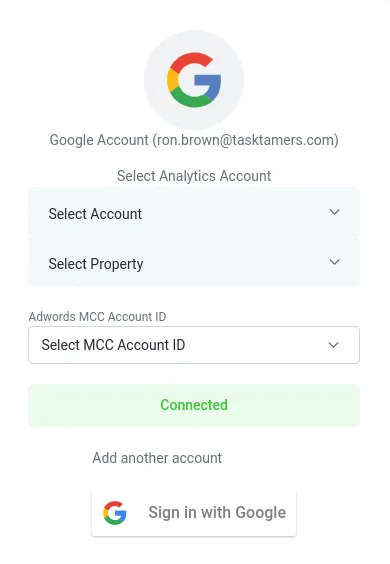
Find the Google integration option and click Connect
Click Connect and sign in using either your personal Google account (Gmail) or your Google Workspace credentials.
Once connected, your email, calendar, and Drive will sync with TaskTamers for task and contact management.
Note:
If you’re using a personal Google account, some advanced business features like custom business email domains (e.g., [email protected]) won't be available. You can upgrade to Google Workspace for these additional features.
Interested in Google Workspace?
For businesses aiming to streamline their
operations, Google Workspace provides tools for professional email, document sharing, and collaboration—all in one place.
Click here to learn more about how it can support your business and sign up today.
Social Account Setup Instructions
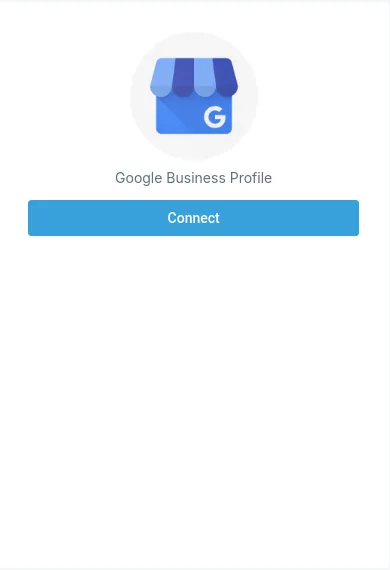
Google Business Profile Setup:
If You Already Have a Google Business Profile:
Log in to TaskTamers:
Navigate to Settings > Integrations.Connect Your Google Business Profile:
Find the Google My Business option and click Connect.
Sign in with your Google credentials and link your business profile.
Once connected, you can manage reviews and updates directly from TaskTamers.
If You Need to Create a Google Business Profile:
Sign Up for Google Business:
Go to Google Business and follow the steps to create your profile.
Connect Your New Profile:
Once your profile is set up, follow the steps above.
Return to TaskTamers, go to Settings > Integrations, and connect it to TaskTamers.
Facebook & Instagram Business Account Setup :
If You Already Have Facebook and Instagram Business Accounts:
Log in to TaskTamers:
Navigate to Settings > Integrations in your TaskTamers dashboard.
Connect Facebook and Instagram:
:
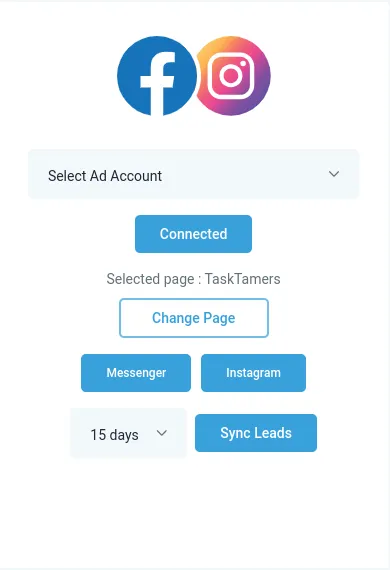
Find the Facebook & Instagram option in the integrations list.
Click Connect and sign in using your Facebook credentials.
Choose the Facebook Page you want to link, and if your Instagram account is already connected to your Facebook Page, it will automatically sync.
If your Instagram account isn't linked yet, follow the prompts to connect it.
If You Need to Set Up a
Facebook and or Instagram Business Accounts:
Create a Facebook Business Page:
Visit Facebook Business to create a new page for your business.Create an Instagram Business Account:
If you don’t have a business account yet, log into Instagram, go to Settings > Account, and switch to a business profile.Connect Both Accounts in TaskTamers:
Once your Facebook and Instagram accounts are set up, return to TaskTamers, go to Settings > Integrations, and connect both accounts from the same place.
LinkedIn Business Page Setup:
If You Already Have a LinkedIn Business Page:
Log in to TaskTamers:
Go to Settings > Integrations in TaskTamers.
Connect Your LinkedIn Business Page
:
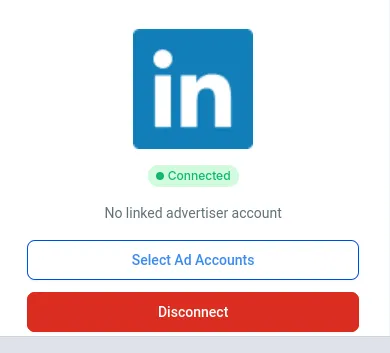
Select LinkedIn from the integrations list.
Log in with your LinkedIn credentials and link your business page.
If You Need to Create a LinkedIn Business Page:
Set Up a LinkedIn Business Page:
Visit LinkedIn Business to create your company page.Connect Your New LinkedIn Page:
Once the page is created, link it to TaskTamers through Settings > Integrations.
TikTok Account Setup
If You Already Have a TikTok Business Account :
Log in to TaskTamers:
Navigate to Settings > Integrations in your TaskTamers dashboard.
Connect Your TikTok Business Account:
:
Find the TikTok integration option.
Click Connect and sign in using your TikTok credentials.
Follow the prompts to authorize TaskTamers to connect with your TikTok business account.
Once connected, you can begin using TaskTamers to manage your TikTok campaigns, track engagement, and run ads directly from the platform.
If You Already Have Facebook and Instagram Business Accounts:
Sign Up for a TikTok Business Account:
Go to TikTok for Business and follow the steps to create a new business account.
Set up your business profile with all necessary details, such as your business name, website, and profile picture.
Connect TikTok to TaskTamers:
After setting up your TikTok business account, return to your TaskTamers dashboard.
Go to Settings > Integrations and find the TikTok option.
Click Connect, sign in with your TikTok business credentials, and follow the prompts to authorize TaskTamers access.